REST API Server
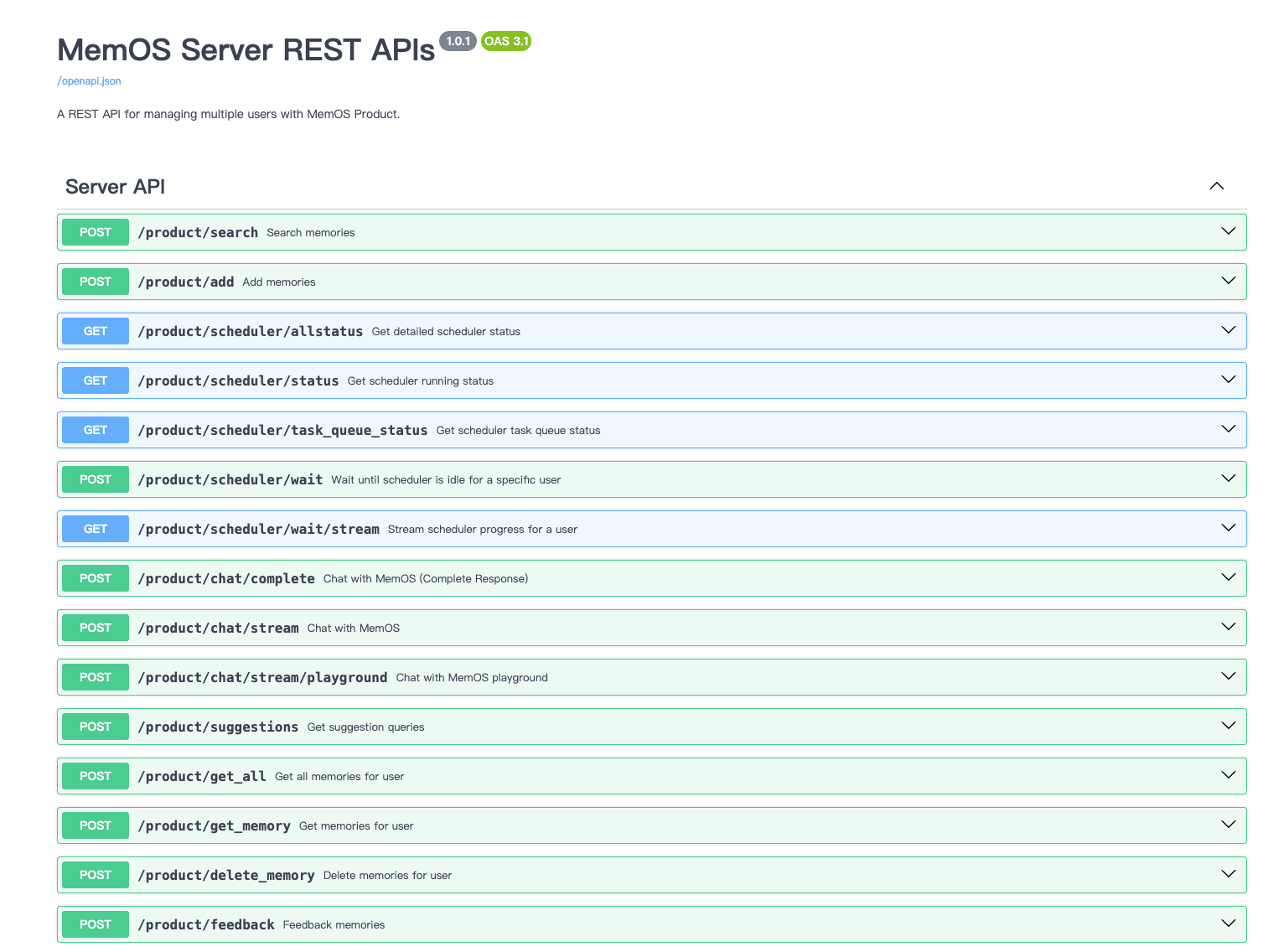
Features
- Add new memory: Create a new memory for a specific user.
- Search memories: Search for memory content for a specific user.
- Get all user memories: Get all memory content for a specific user.
- Memory feedback: Feedback memory content for a specific user.
- Chat with MemOS: Chat with MemOS, returning SSE streaming response.
Run Locally
1、Local Download
# Download the code to the local folder
git clone https://github.com/MemTensor/MemOS
2、Configure Environment Variables
# Enter the folder directory
cd MemOS
Create a .env file in the root directory and set your environment variables.
.env The quick mode configuration is as follows, Complete Mode Reference .env.example.
# OpenAI API Key (Custom configuration required)
OPENAI_API_KEY=sk-xxx
# OpenAI API Base URL
OPENAI_API_BASE=http://xxx:3000/v1
# Default model name
MOS_CHAT_MODEL=qwen3-max

# Memory Reader LLM model
MEMRADER_MODEL=qwen3-max
# Memory Reader API Key
MEMRADER_API_KEY=sk-xxx
# Memory Reader API Base URL
MEMRADER_API_BASE=http://xxx:3000/v1

# Embedder model name
MOS_EMBEDDER_MODEL=text-embedding-v4
# set default embedding backend default: ollama | universal_api
MOS_EMBEDDER_BACKEND=universal_api
# Embedder API Base URL
MOS_EMBEDDER_API_BASE=http://xxx:8081/v1
# Embedder API Key
MOS_EMBEDDER_API_KEY=xxx
# Embedding vector dimension
EMBEDDING_DIMENSION=1024
# Reranker backend (http_bge | etc.)
MOS_RERANKER_BACKEND=cosine_local

# Neo4j Connection URI
# Optional values: neo4j-community | neo4j | nebular | polardb
NEO4J_BACKEND=neo4j-community
# required when backend=neo4j*
NEO4J_URI=bolt://localhost:7687
NEO4J_USER=neo4j
NEO4J_PASSWORD=12345678
NEO4J_DB_NAME=neo4j
MOS_NEO4J_SHARED_DB=false

# Whether to use Redis scheduler
DEFAULT_USE_REDIS_QUEUE=false

# Enable chat api
ENABLE_CHAT_API=true
# Chat Model List can apply through Bailian. Models are selectable.
CHAT_MODEL_LIST=[{"backend": "qwen", "api_base": "https://xxx/v1", "api_key": "sk-xxx", "model_name_or_path": "qwen3-max", "extra_body": {"enable_thinking": true} ,"support_models": ["qwen3-max"]}]
3、Taking Bailian as an example to customize configuration
# You can apply through the Bailian platform
# https://bailian.console.aliyun.com/?spm=a2c4g.11186623.0.0.2f2165b08fRk4l&tab=api#/api
# After successful application, obtain API_KEY and BASE-URL. The example configuration is as follows

# OpenAI API Key (Using the API_KEY of Bailian)
OPENAI_API_KEY=you_bailian_api_key
# OpenAI API Base URL
OPENAI_API_BASE=https://dashscope.aliyuncs.com/compatible-mode/v1
# Default model name
MOS_CHAT_MODEL=qwen3-max

# Memory Reader LLM model
MEMRADER_MODEL=qwen3-max
# Memory Reader API Key (Using the API_KEY of Bailian)
MEMRADER_API_KEY=you_bailian_api_key
# Memory Reader API Base URL
MEMRADER_API_BASE=https://dashscope.aliyuncs.com/compatible-mode/v1

# Embedder The model name can refer to the following link
# https://bailian.console.aliyun.com/?spm=a2c4g.11186623.0.0.2f2165b08fRk4l&tab=api#/api/?type=model&url=2846066
MOS_EMBEDDER_MODEL=text-embedding-v4
# set default embedding backend default: ollama | universal_api
MOS_EMBEDDER_BACKEND=universal_api
# Embedder API Base URL
MOS_EMBEDDER_API_BASE=https://dashscope.aliyuncs.com/compatible-mode/v1
# Embedder API Key (Using the API_KEY of Bailian)
MOS_EMBEDDER_API_KEY=you_bailian_api_key
# Embedding vector dimension
EMBEDDING_DIMENSION=1024
# Reranker backend (http_bge | etc.)
MOS_RERANKER_BACKEND=cosine_local

# Neo4j Connection URI
# Optional values: neo4j-community | neo4j | nebular | polardb
NEO4J_BACKEND=neo4j-community
# required when backend=neo4j*
NEO4J_URI=bolt://localhost:7687
NEO4J_USER=neo4j
NEO4J_PASSWORD=12345678
NEO4J_DB_NAME=neo4j
MOS_NEO4J_SHARED_DB=false

# Whether to use Redis scheduler
DEFAULT_USE_REDIS_QUEUE=false

# Enable chat api
ENABLE_CHAT_API=true

CHAT_MODEL_LIST=[{"backend": "qwen", "api_base": "https://dashscope.aliyuncs.com/compatible-mode/v1", "api_key": "you_bailian_api_key", "model_name_or_path": "qwen3-max-preview", "extra_body": {"enable_thinking": true} ,"support_models": ["qwen3-max-preview"]}]
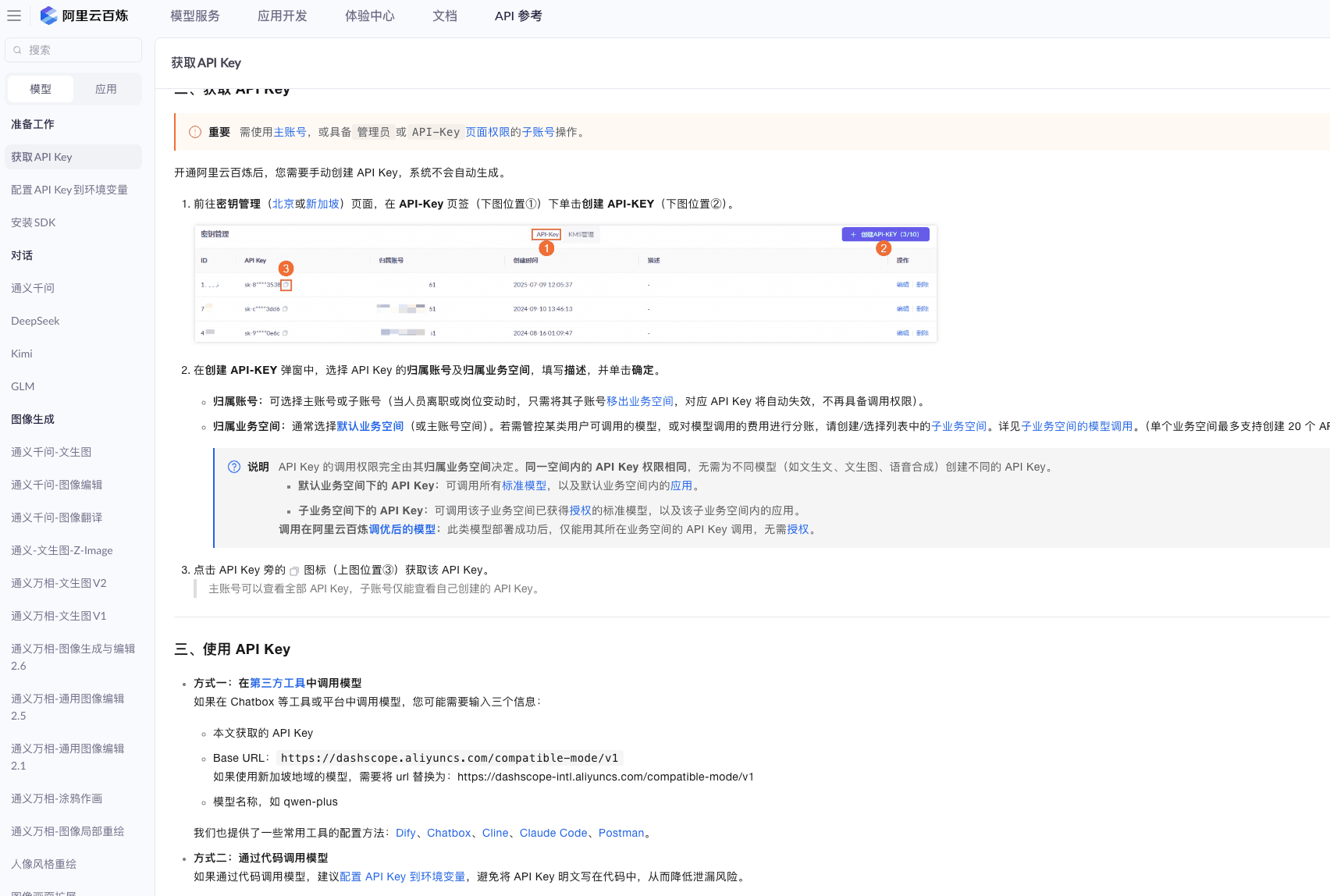
Configure dependency versions in docker/requirement.txt (negligible), Complete Mode Reference requirements.txt.
4、Start Docker
 # If Docker is not installed, please install the corresponding version. The download link is as follows:
 https://www.docker.com/

 #After installation, Docker can be started through the client or through the command line
 #Command line start
 sudo systemctl start docker

# Check docker status
docker ps
# Check docker images (optional)
docker images
Method 1: Docker use repository dependency package image/start (Recommended use)
# Enter the Docker directory
cd docker
Reference configuration environment variables above, .env file should be configured
Configure Dockerfile(cd docker)
Contains quick mode and full mode, distinguishing between using simplified packages (x86 and arm) and full packages (x86 and arm)
● Simplified package: Simplify dependencies related to Nvidia that are too large in size, achieve lightweight mirroring, and make local deployment lighter and faster.
url: registry.cn-shanghai.aliyuncs.com/memtensor/memos-base:v1.0
url: registry.cn-shanghai.aliyuncs.com/memtensor/memos-base-arm:v1.0

● Full package: Convert all MemOS dependencies into images, Experience complete functionality. By configuring Dockerfiles, you can directly build and start the package.
url: registry.cn-shanghai.aliyuncs.com/memtensor/memos-full-base:v1.0.0
url: registry.cn-shanghai.aliyuncs.com/memtensor/memos-full-base-arm:v1.0.0
Configure Dockerfile(cd docker)
# The current example uses a simplified package url
FROM registry.cn-shanghai.aliyuncs.com/memtensor/memos-base:v1.0

WORKDIR /app

ENV HF_ENDPOINT=https://hf-mirror.com

ENV PYTHONPATH=/app/src

COPY src/ ./src/

EXPOSE 8000

CMD ["uvicorn", "memos.api.server_api:app", "--host", "0.0.0.0", "--port", "8000", "--reload"]
Build and start service using docker compose up:
# Enter docker directory
docker compose up
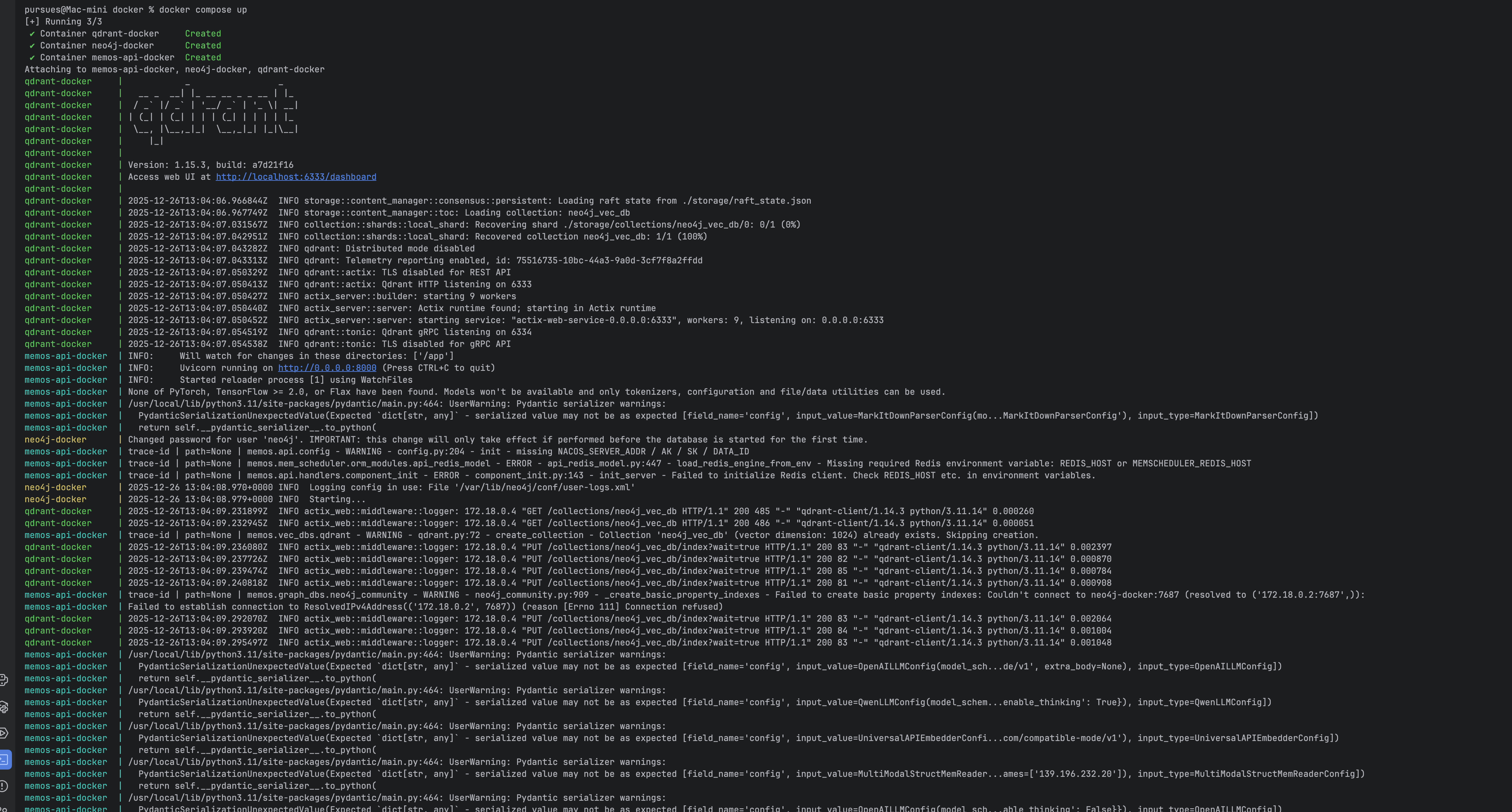
Access API via http://localhost:8000/docs.
Test cases (Add user memory->Query user memory) Refer to Docker Compose up test cases
Method 2:Client Install with Docker Compose up
Development Docker Compose up comes pre-configured with qdrant, neo4j.
Running the server requires the OPENAI_API_KEY environment variable.
Enter docker folder
# Enter docker folder from current directory
cd docker
Install corresponding dependency modules
pip install --upgrade pip && pip install --no-cache-dir -r requirements.txt
# Install dependencies using Aliyun source
# pip install --upgrade pip && pip install --no-cache-dir -r requirements.txt -i https://mirrors.aliyun.com/pypi/simple/
Start container using Docker Compose Up in docker directory (ensure vpn connects normally):
# Build required for first run
docker compose up --build
# Not required for subsequent runs
docker compose up
Access API via http://localhost:8000/docs.
Example process
(Query user memory (stop if none) -> Add user memory -> Query user memory)
Add User Memory http://localhost:8000/product/add (POST)
# Request params
{
  "user_id": "8736b16e-1d20-4163-980b-a5063c3facdc",
  "mem_cube_id": "b32d0977-435d-4828-a86f-4f47f8b55bca",
  "messages": [
    {
      "role": "user",
      "content": "I like strawberry"
    }
  ],
  "memory_content": "",
  "doc_path": "",
  "source": "",
  "user_profile": false
}
# Response
{
    "code": 200,
    "message": "Memory created successfully",
    "data": null
}
Query User Memory http://localhost:8000/product/search (POST)
# Request params
{
  "query": "What do I like",
  "user_id": "8736b16e-1d20-4163-980b-a5063c3facdc",
  "mem_cube_id": "b32d0977-435d-4828-a86f-4f47f8b55bca"
}
# Response
{
    "code": 200,
    "message": "Search completed successfully",
    "data": {
        "text_mem": [
          {
            "cube_id": "7231eda8-6c57-4f6e-97ce-98b699eebb98",
            "memories": [
              {
                  "id": "2f40be8f-736c-4a5f-aada-9489037769e0",
                  "memory": "[user viewpoint] User likes strawberries.",
                  "metadata": {
                      "user_id": "de8215e3-3beb-4afc-9b64-ae594d62f1ea",
                      "session_id": "root_session",
                      "status": "activated",
                      "type": "fact",
                      "key": "User preference for strawberries",
                      "confidence": 0.99,
                      "source": null,
                      "tags": [
                          "preference",
                          "strawberry"
                      ],
                      "visibility": null,
                      "updated_at": "2025-09-18T08:23:44.625479000+00:00",
                      "memory_type": "UserMemory",
                      "sources": [],
                      "embedding": [],
                      "created_at": "2025-09-18T08:23:44.625511000+00:00",
                      "usage": [
                          "{
                            "time": "2025-09-18T08:24:17.759748",
                            "info": {
                              "user_id": "de8215e3-3beb-4afc-9b64-ae594d62f1ea",
                              "session_id": "root_session"
                            }
                          }"
                      ],
                      "background": "The user expressed a preference for strawberries, indicating their inclination towards dietary preferences.",
                      "relativity": 0.6349761312470591,
                      "vector_sync": "success",
                      "ref_id": "[2f40be8f]",
                      "id": "2f40be8f-736c-4a5f-aada-9489037769e0",
                      "memory": "[user viewpoint] User likes strawberries."
                  },
                  "ref_id": "[2f40be8f]"
              },
              ...
            }
          }
        ],
        "act_mem": [],
        "para_mem": []
    }
}


# Response failure, troubleshooting
# src/memos/api/config.py
# Check "neo4j_vec_db" and "EMBEDDING_DIMENSION" configured in get_neo4j_community_config method
Modifications to server code or library code will automatically reload the server.
Method 3:Client Install using CLI commands
Install dependencies
# pip install --upgrade pip && pip install --no-cache-dir -r ./docker/requirements.txt
# Install dependencies using Aliyun source
pip install --no-cache-dir -r ./docker/requirements.txt -i https://mirrors.aliyun.com/pypi/simple/
Open terminal and run the following command to install:
# Packages that might need manual installation currently. Need to find resources for these two packages
# neo4j.5.26.4.tar   qdrant.v1.15.3.tar
docker load -i neo4j.5.26.4.tar
docker load -i qdrant.v1.15.3.tar
# Check if installed successfully
docker images
# Check if running
docker ps -a


# Root directory
 uvicorn memos.api.server_api:app --host 0.0.0.0 --port 8000 --workers 1

# If ModuleNotFoundError: No module named 'memos' appears during startup, it is due to path matching problem, please execute
export PYTHONPATH=/you-file-absolute-path/MemOS/src
Access API
After startup is complete, access API via http://localhost:8000/docs.
Method 4: Without Docker
Reference configuration environment variables above, .env file should be configured
Install Poetry for dependency management:
curl -sSL https://install.python-poetry.org | python3 -
Poetry environment variable configuration:
# To start using, you need to find Poetry's bin directory in "PATH" (/Users/jinyunyuan/.local/bin) environment variable
# Modern macOS systems default Shell is zsh. You can confirm via following command
1. Determine which Shell you are using

echo $SHELL
# If output is /bin/zsh or /usr/bin/env zsh, then you are zsh.
# (If your system version is older, might still be using bash, output will be /bin/bash)
2. Open corresponding Shell config file
# If using zsh (vast majority of cases):
# Use nano editor (recommended for beginners)
nano ~/.zshrc

# Or use vim editor
# vim ~/.zshrc
# If using bash:
nano ~/.bash_profile
# Or
nano ~/.bashrc

3. Add PATH environment variable

# At the very end of opened file, start a new line, paste installation prompt command:
export PATH="/you-path/.local/bin:$PATH"

4. Save and exit editor

# If using nano:
# Press Ctrl + O to write (save), press Enter to confirm filename.
# Then press Ctrl + X to exit editor.

# If using vim:
# Press i to enter insert mode, paste code, then press ESC key to exit insert mode.
# Input :wq, then press Enter to save and exit.

5. Make configuration take effect immediately
# Newly modified config file won't automatically take effect in currently open terminal window, you need to run one of the following commands to reload it:

# For zsh:
source ~/.zshrc

# For bash:
source ~/.bash_profile

6. Verify if installation is successful
# Now, you can execute test command in prompt to check if everything is ready:
poetry --version
# Success will show version number Poetry (version 2.2.0)
Install all project dependencies and development tools:
make install
First start neo4j and qdrant in docker
Start FastAPI server (In MomOS directory):
uvicorn memos.api.product_api:app --host 0.0.0.0 --port 8000 --reload
After server runs, you can use OpenAPI docs to test API, URL is http://localhost:8000/docs or http://127.0.0.1:8000/docs
Test cases (Register user->Add user memory->Query user memory) Refer to Docker Compose up test cases
Method 5:Start using PyCharm
Run server_api
1. Enter MemOS/docker/Dockerfile file, modify run configuration
# Start the docker
CMD ["uvicorn", "memos.api.server_api:app", "--host", "0.0.0.0", "--port", "8000", "--reload"]

2. Enter directory MemOS/src/memos/api directly run server_api.py
Architecture
MemOS is made up of core modules that work together to turn your LLM into a truly memory-augmented system — from orchestration to storage to retrieval.
MemOS Examples
Congratulations - you've mastered the Quick Start and built your first working memory! Now it's time to see how far you can take MemOS by combining different memory types and features. Use these curated examples to inspire your own agents, chatbots, or knowledge systems.